 Wallance
Subscription tracking
Streaming, phone, gym, software: small amounts that add up. Wallance keeps every subscription in one list with its price and billing day.
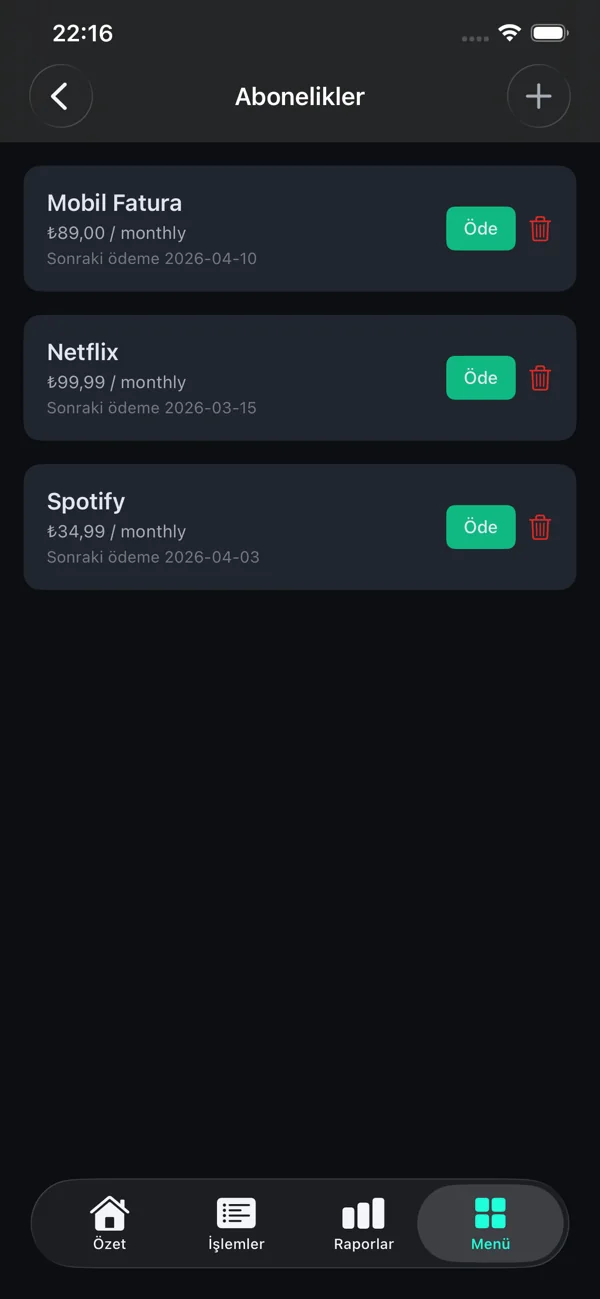
One list of what you pay for
Add a subscription once with its name, amount, monthly or yearly billing and the day it is charged. Link it to a category and to the account it is paid from.
Upcoming payments
Wallance lists everything due in the next 30 days: subscriptions, recurring payments and loan installments, with the ones due in the next few days marked as urgent.
Record payments with one tap
When a subscription is charged, tap Pay and Wallance records it as an expense in the right account and category. Nothing is paid automatically; Wallance never touches your money.
Questions
Does Wallance cancel subscriptions for me?
No. Wallance shows what you pay for so you can decide; you cancel with the service itself.
Are subscription payments recorded automatically?
No. You confirm each payment with one tap, so your records match what was actually charged.
Can I track yearly subscriptions?
Yes. Each subscription is either monthly or yearly.
More features
Income and expenses
Record income, expenses and transfers in seconds, with categories and filters.
Learn more →Installments and loans
Loans and installment purchases with what is paid and what is left.
Learn more →Savings goals
A target and a monthly plan for each goal, kept apart from spending money.
Learn more →Reports
Monthly and yearly summaries, categories, biggest expenses and future payments.
Learn more →Currencies and gold
24 currencies, gold and silver in grams, converted with daily rates.
Learn more →Assets and net worth
Property, vehicles and land with their value over time.
Learn more →Try it on your iPhone
Free to download on the App Store. Turkish and English.